Measuring desk occupancy
Reliable detection of occupied workstations. No wiring to the desk required; can be retrofitted during operation.

Here's how the measurement works
From the sensor to your systemA common use case for our Smart Office portfolio is tracking workstation utilization. The goal is to adjust the number of available workstations to meet demand in order to reduce costs and make better use of space.
Desk sensors such as the EnoSense® Desk VIB, the EnoSense® Desk or the EnoSense® Wall + Desk, attached to the individual desks, serve as the data source. This is done during normal operation using the double-sided adhesive pad already attached to the housing.
The sensors—which can number several hundred per floor—send an EnOcean message when they detect movement or vibration. An EnoDisc® within range captures the message and forwards it via Ethernet to the VL-700 BASE. The VL-700 BASE then transmits the data in JSON format to the MQTT broker of your choice.
Using this approach, we have already helped several hundred buildings make significant strides in terms of usability and cost-effectiveness.
Arguments in favor of this
- Simple installation of the sensors
- Short installation and commissioning times
- Short amortization period for your investment
- Can be adapted to virtually any cloud application
- Internationally available solution
Devices in this use case
5 building blocks EnoSense® Wall + DeskDesk sensor with vibration sensor and solar cell, also measures temperature, humidity and illuminanceData sheet and part numbers →
 EnoSense® DeskDesk sensor with vibration sensor and motion detector under the desk edgeData sheet and part numbers →
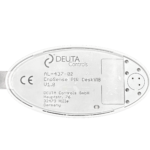 EnoSense® Desk VIBDesk sensor with vibration sensor only, the most economical device for typical office workData sheet and part numbers →
 EnoDisc®Bidirectional antenna for EnOcean sensors and actuators, powered via PoEData sheet and part numbers →
 VL-700 BASEIoT controller for up to 32 EnoDisc® and 500 EnOcean sensorsData sheet and part numbers →
Which sensor suits which workstation
Three desk sensors comparedAll three sensors detect that someone is working at the desk and report it immediately on a change and then every 240 seconds. They differ in how they detect, how they are powered and what else they measure.
| EnoSense® Desk VIB | EnoSense® Desk | EnoSense® Wall + Desk | |
|---|---|---|---|
| Detection | Vibration of the desktop | Vibration and motion detector (PIR) under the desk edge, individually or combined | Vibration of the desktop |
| Additionally | – | – | Temperature, humidity, illuminance |
| Power supply | CR2032 battery | CR2032 battery | Solar cell, optional backup battery |
| Mounting | On or under the desktop | Under the desk edge, lens facing the seat (detection approx. 0.5 m, approx. 90°) | On the desktop at a corner, with light for the solar cell |
| Settings | Not required | Service button: vibration, PIR or both | NFC: sensitivity and transmission rate |
| Suited to | Typical office work with keyboard and mouse; the most economical device | Quiet tasks where the desk is not touched for a long time: reading, phone calls, video conferences | Bright workstations where the indoor climate per desk is also of interest |
From signal to utilization
What the software makes of itData protection and employee participation
No camera, no imageThe desk sensors record neither images nor sound. They only report that something is moving at the desk, not who is sitting there.
The data only becomes personal when a desk can be assigned to a person, for example with fixed desks or in combination with booking data. Then the GDPR applies. A proven approach is to aggregate occupancy by zone or floor and to keep raw data only briefly.
Where employee representatives exist, involve them early. In Germany, for example, the works council has a right of co-determination for technical systems capable of monitoring behaviour or performance (Section 87(1) No. 6 BetrVG). Involve your data protection officer as well; a works agreement defines what the data is used for.
Frequently asked questions
5 questionsHow reliably does a desk sensor detect an occupied desk?
The vibration sensor detects typical office work such as typing, using the mouse or leaning on the desktop. For quiet tasks without touching the desk, the motion detector under the desk edge of the EnoSense® Desk adds to the detection.
Does every workstation need its own sensor?
Yes, if occupancy per desk is required. If occupancy per room or zone is enough, presence detectors on the ceiling or people counters at the entrance will do.
What hold time is right?
At least two transmission intervals, i.e. 8 minutes or more. Shorter hold times report desks as free even though someone is working there.
How does the data get into the booking or analytics software?
The VL-700 BASE passes the reports in JSON format to an MQTT broker of your choice. The software subscribes to the desks there. One VL-700 BASE manages up to 32 EnoDisc® and 500 sensors.
Can desk occupancy be measured in a privacy-compliant way without cameras?
The sensors capture no image and no person, only movement at the desk. The data only becomes personal when a desk is assigned to a person. Involve employee representatives and your data protection officer early.
Shall we run the numbers for your building?
Please provide us with the area, number of rooms, and target system. You will receive a list of devices with part numbers, a recommendation for the number of receivers, and a quote.